 EN
EN  ES
ES  PT
PT  FR
FR 
Creating a Digital Suzuki Escape Room
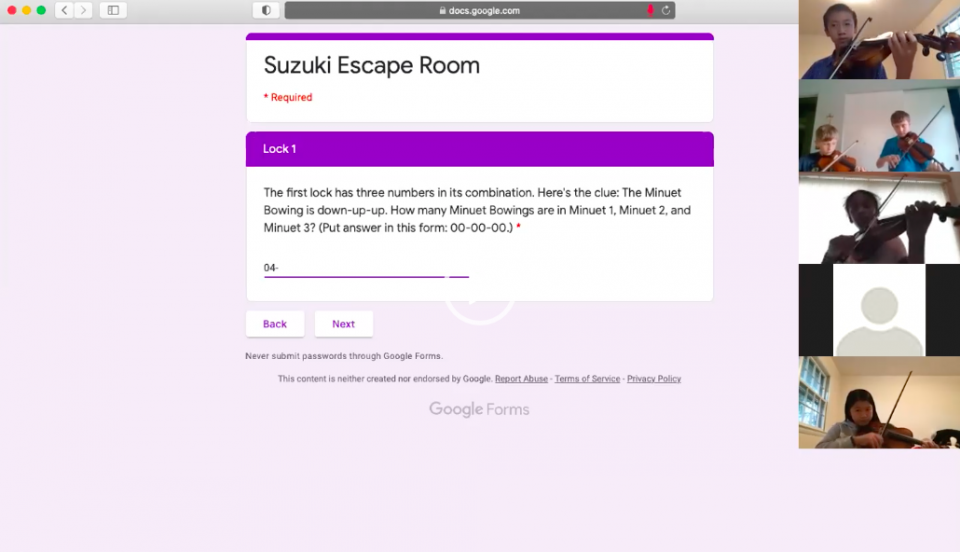
In this age of virtual learning, we Suzuki teachers are always looking for new ways to keep our students engaged in group lessons—bonus points if they’re fun, too. One new format that has been particularly successful for focus and fun in my violin studio is a digital Suzuki escape room.
An escape room is a learning experience where participants are stuck in a situation and have to work together to find clues and solve puzzles to make it out. For in-person escape rooms, students are normally locked in a room and have to find physical clues, like a hidden message in a painting or a coded letter tucked in a desk drawer. Their digital counterpart is easy to create. All it takes is a bit of prep time, creativity, and some knowledge of an online polling platform such as Google Forms.
In using a digital escape room for a Suzuki group lesson, the learning objectives are the same as a traditional Suzuki group lesson: we want our students to review and revive learned material, experiment with new musical concepts, and learn the importance of ensemble and the spirit of giving generously. A group lesson plan that includes a digital escape room can accomplish these goals seamlessly.
Teamwork is especially essential in a digital Suzuki escape room because the students need to solve the puzzles together as a group and come up with a single answer for each clue. Like any group lesson, the more advanced students get a chance to be leaders, and the newer students get a chance to learn from their peers. All students need to be patient while they work together and develop their creative and critical thinking skills to solve the puzzles.
Let’s tackle planning a digital Suzuki escape room in four steps:
- Consider your students’ levels and the available time frame.
My group lesson was for students in Books 1 through 4, ages six to 14. Since the students had such a wide range of experience, the questions couldn’t be so easy that the teenagers got bored and couldn’t be so hard that the little ones lost interest. My online group class was an hour, but a digital Suzuki escape room could easily be trimmed down to half that time to accommodate a different schedule.
- Create a storyline.
Every escape room needs a storyline to frame the tasks and propel the players forward. My storyline was that my students were on stage about to play in a studio recital, but they needed to go back to the green room to get their rosin. The green room door had five locks (the recital hall security really took their job seriously!), and they needed to open each lock to grab their rosin and get back on stage in time to perform the first piece.
The storyline doesn’t have to be complicated, but it does have to give the players a reason to solve the puzzles. It can be musical and can feature your students by name, or it can be themed for holidays, popular books, or movies. You may want to learn about your students’ interests to create a storyline that will grip them.
- Craft the puzzles.
I chose five problems for the students to solve, which included several possible Suzuki pieces as the answers. In finding the correct solutions, we played through each piece listed as a possible answer—that’s how we easily filled the whole lesson time.
For example, one puzzle read, “Which of these pieces does not have at least two down bows in a row?” then it listed four possible answers. As a group, we played through each piece and scrutinized the bowings. Other puzzles required more critical thinking. One such question read, “Which Twinkle rhythm (A, B, C, D, or E) is at the very beginning of the Concerto for Two Violins in D Minor?” Answering this type of question meant that the more advanced players played the beginning of the Bach Double, the beginner students isolated and played all the Twinkle rhythms, and everyone detached rhythms from familiar melodies to answer the question.
- Create the online form.
Using an online polling platform brings the digital Suzuki escape room to life. To create an escape room on Google Forms, go to forms.google.com and sign in to your Google account. If you don’t have a google account, you can either create one for free or use a different polling platform. Change the form from “Untitled form” to the name of your escape room, and type in your storyline under “Form description.”
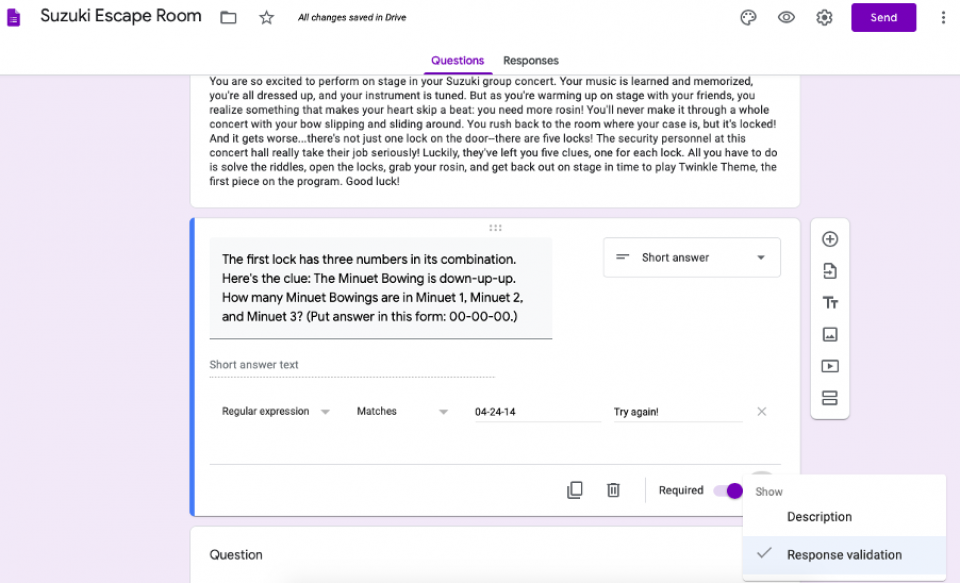
Change “Untitled Question” to your first question. Select “short answer” as the type of response, and toggle “Required.” Click the three vertical dots and select “Response validation.” Turning on “Response validation” is how you can make sure that students can’t move on from a question without getting it right. Select “Regular expression” and “Matches,” then put in the correct answer. If you’d like to fill in the “Custom error text” with an encouraging message, you can type in something along the lines of “Try again!”
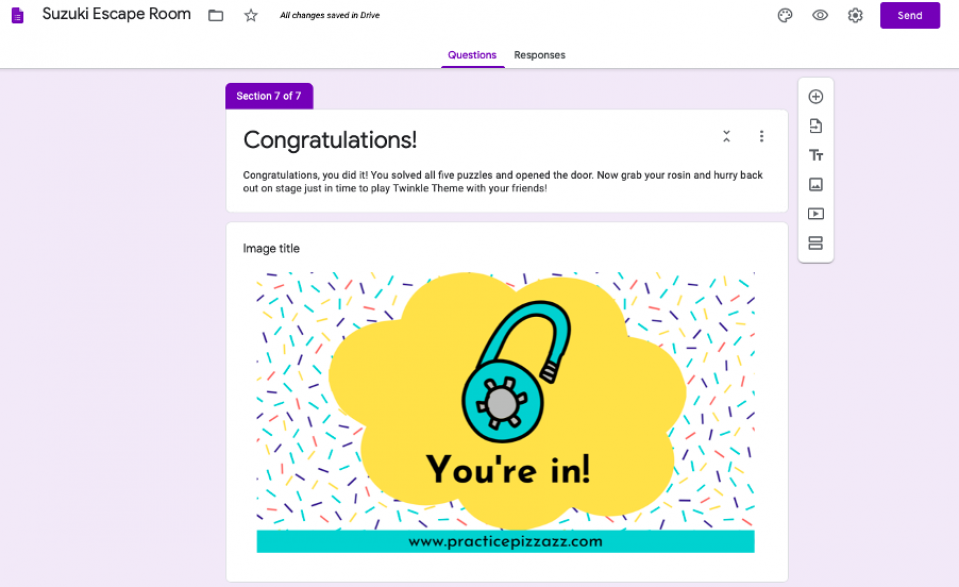
When you have followed these instructions for the first question, click “Add section.” Making each question its own section will mean that students can only see and work on one puzzle at a time. After you click “Add section,” click “Add question,” then follow these instructions for as many questions as you have planned. Add one last blurb to tie up the storyline once they’ve finished the puzzles, and your escape room is complete.
When it’s time for the actual group lesson, all you have to do is share your screen during the video call. Guide your students as they work together, and input the answer they come up with. If your group roster is large, you can have all the students stay muted and type their ideas into the comments section. If your group lesson numbers are smaller, feel free to let students unmute themselves to ask and answer questions.
Another benefit to doing a digital Suzuki escape room is that you can share it with students who can’t make it to the live class. I recorded my video call and shared it with parents, and I also sent the Google form out to students who missed the lesson. This way, all the students were included in the fun if they had to miss the actual event.
The students and parents in my studio loved the activity. One of my students who often struggles to stay focused in group even exclaimed at the end, “That was fun!” For this teacher, that’s high praise.